All projects

Fuko

A mobile app to find, create and share events around you. I designed its experience, every screen, the animations and the identity, from signing up to running an event.

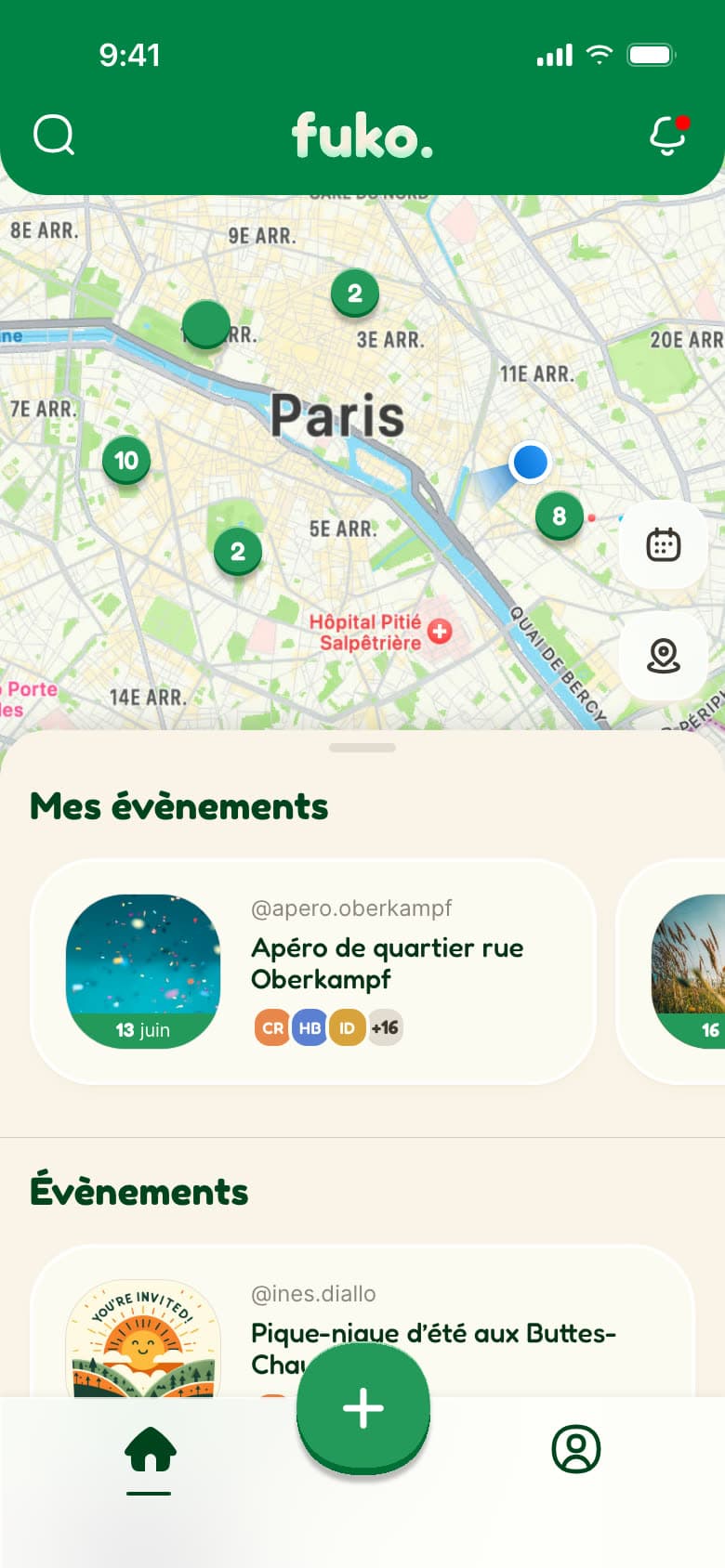
A map, with its events right below

Nearby events group together on the map with their count; one tap zooms into the area and splits them. A sheet you pull up gives the list: "Mes évènements" (My events) first, then the ones nearby. The map says where, the list says which.

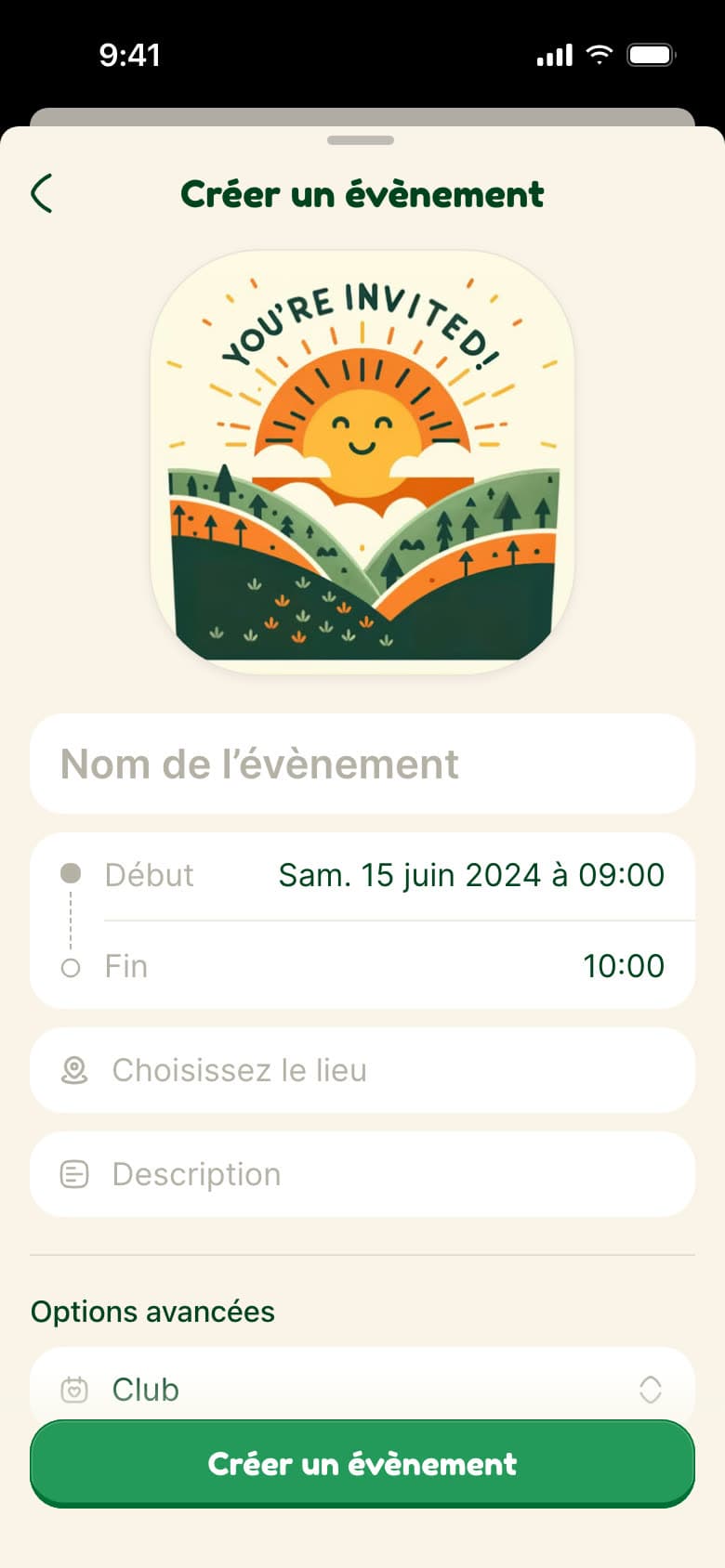
Fuko shows on a map what's happening around you, lets you create your own event from a "+" in the middle of the tab bar, invite your contacts to it, and follow people and clubs.

Role
Freelance Product Designer, through 175studio
Scope
The mobile app, from sign-up to running an event
Expertise
UX/UI, mobile app, animated prototyping, visual identity

The app day to day

An events app is only worth the people on it: you need to get in fast, then see at a glance what's happening around you.

A number, a code, a name, then your contacts

One fake account is enough to spoil an invitation, but a long form loses people before the first one.

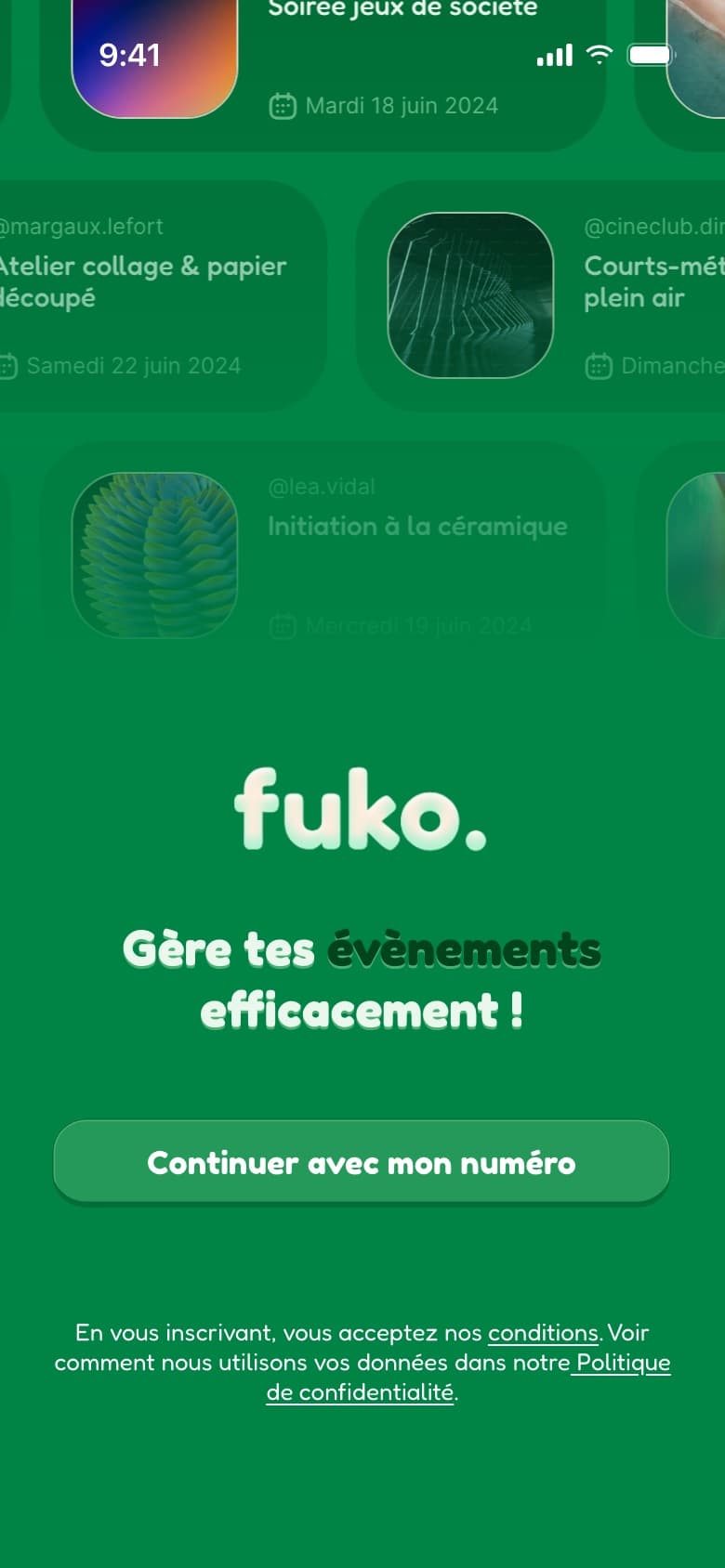
Three steps and a progress bar: the number, with its reason spelled out (making sure everyone on Fuko is real), the code received, the name shown. Then your contacts, with a real way out ("Non, je veux rester seul" (No, I'd rather stay on my own)) and no invitation sent without permission. Before that, the welcome screen sets the identity: the logo with its jumping letters, in front of a parade of events.
Searching for an event, a person or a club

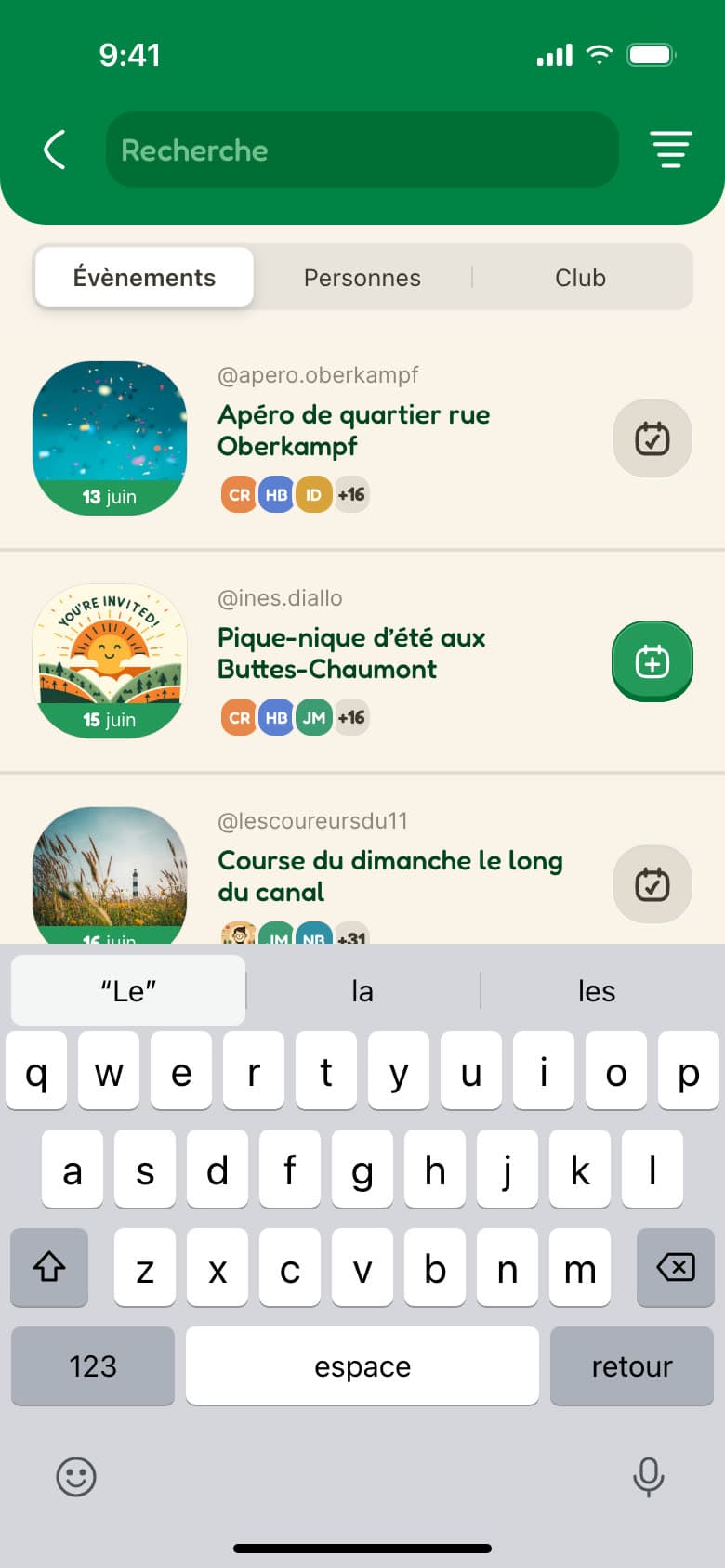
A search that mixes everything makes you sort it yourself.

Three tabs, Events, People and Club, and a date and place filter that opens inside the header. From the list, you add an event to your schedule or follow someone without opening their page.

The event, from guest to organiser

The same page changes with who's looking: the guest decides whether to come, the organiser keeps the event going.

Everything you need to say yes

People answer an invitation when they know what, when, where and with whom; if one of those is missing, they put it off.

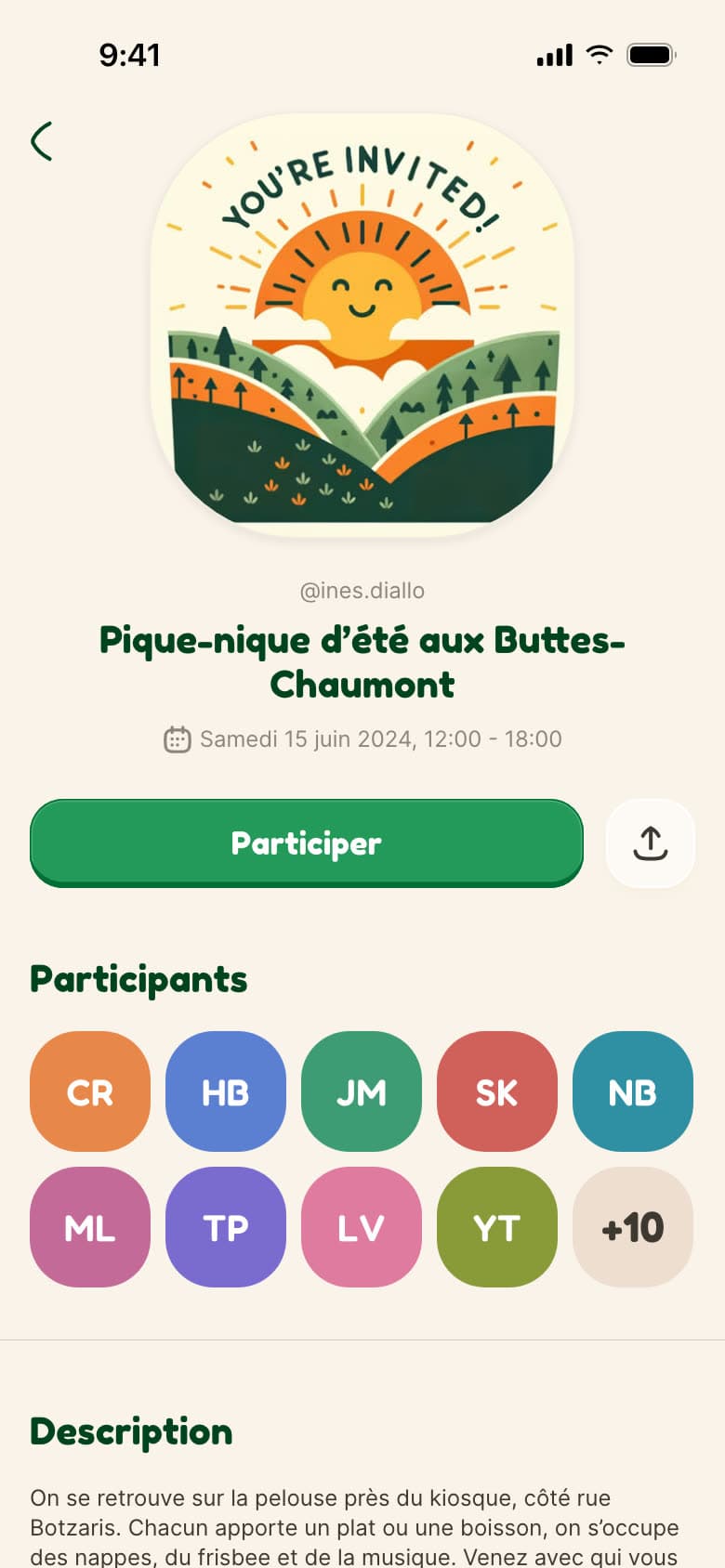
A page that answers it all, with one main button, "Participer" (Join): the visual, the organiser, the date, who's going, the description and the place, whose map opens directions in the app of your choice. Once you're in, the button gives way to "Calendrier" (Calendar) and "Partager" (Share).

A page for each person, a page for each club

To decide whether to go to a stranger's or a club's event, you need to see who they are and what they usually run.

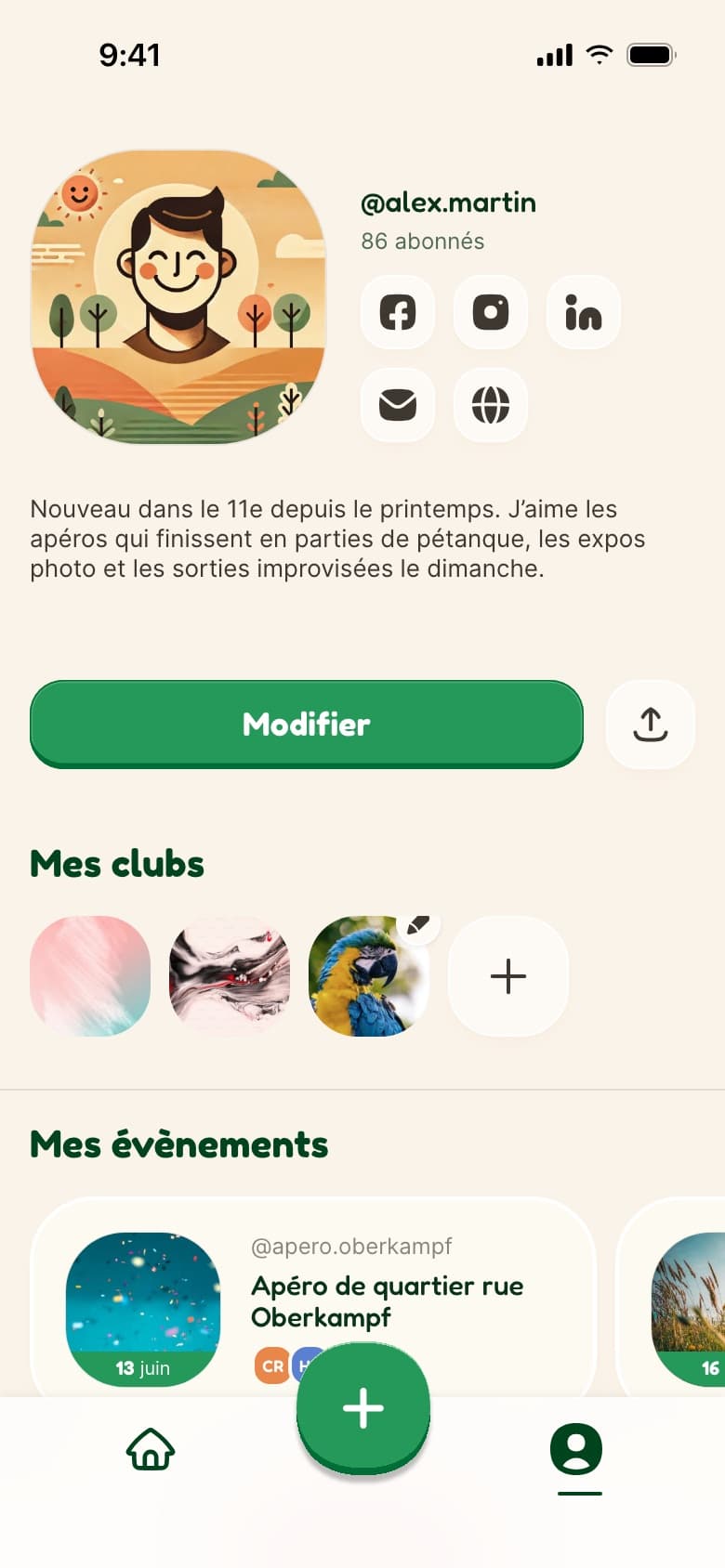
People and clubs share the same page: who they are, how many follow them, then the events they run, with a "Suivre" (Follow) button. On your own profile, the same page is where you introduce yourself and manage your clubs.

Running it without leaving the page

Inviting, fixing the time, reminding latecomers, removing someone: every organiser task hidden in a menu is a task that doesn't get done.

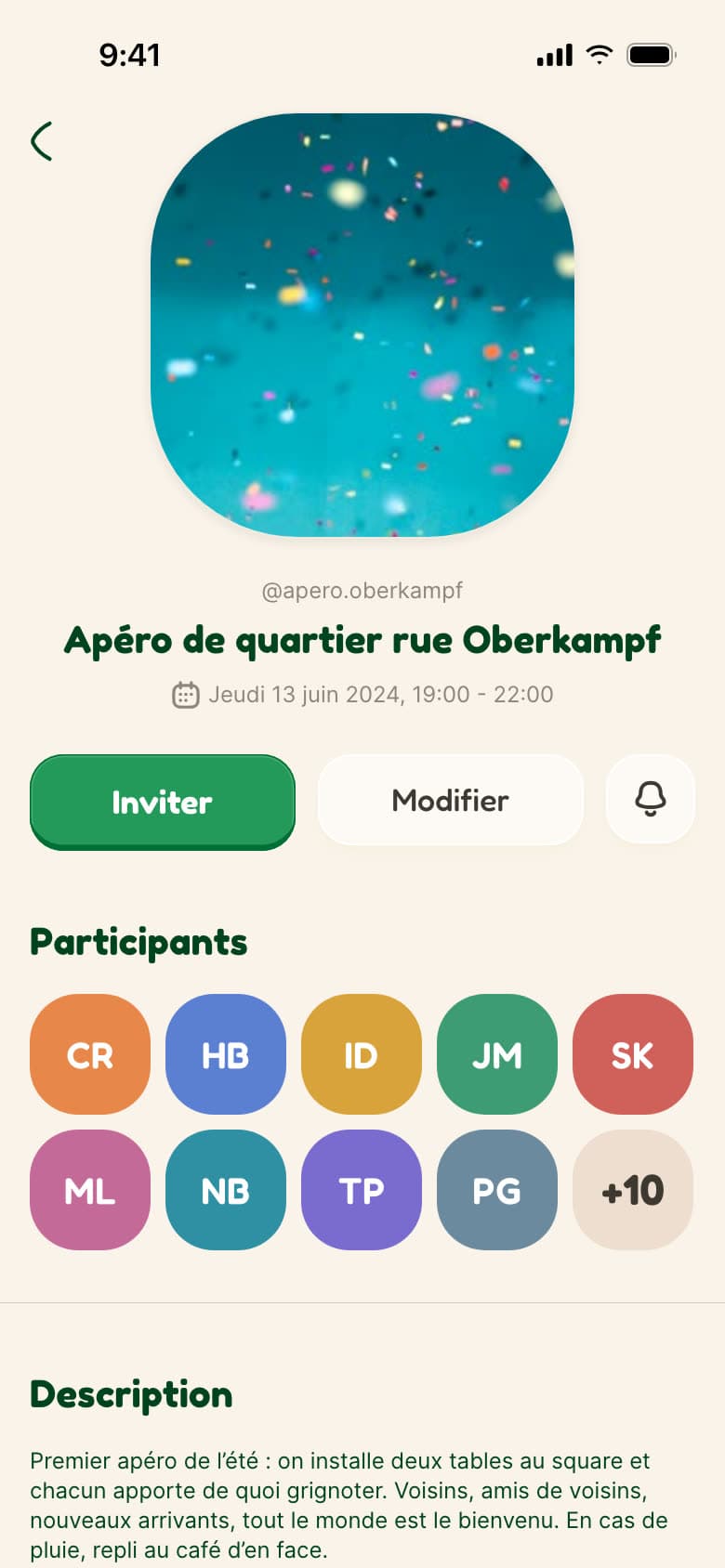
For the organiser, the page keeps its layout and swaps its buttons: "Inviter" (Invite), "Modifier" (Edit) and a bell to schedule reminders. The guest list switches to edit mode to remove someone. "Modifier" reopens the creation form, filled in: the same one behind the "+" in the bar.

A mobile app to design?

Flows to simplify? Let's talk about your product.