All projects

Exoteach

I designed Exoteach's logo and website, then redesigned its whole platform, for students, teachers and school managers.

exoteach.com
Exoteach, interactive prototype

Designed and built

The exoteach.com website, designed and built in Framer

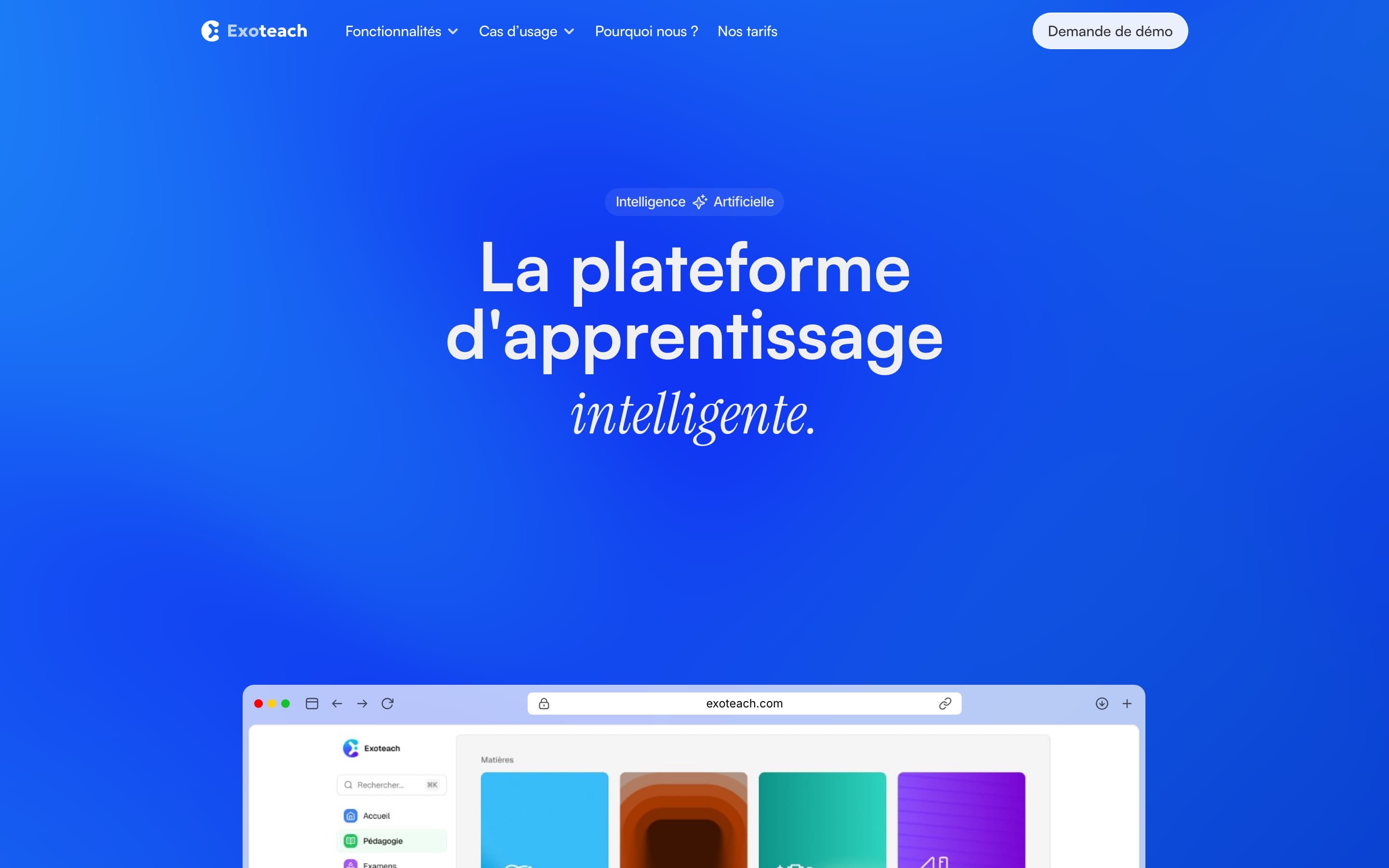
Before the platform, the website. Exoteach speaks to students, teachers and school managers at once: each has their own page, with their features and their tone. And rather than listing features, the home page brings up the product itself, in browser windows. The site above is the version I delivered.

Exoteach is a white-label e-learning platform for prep schools, schools, universities and training organisations: courses, exercises, exams, scheduling, messaging, student tracking and payment, on the web and in a mobile app. More than 50,000 students use it.

Role
Freelance Product Designer, through 175studio
Period
2025 – 2026
Scope
The logo, the website, the platform (students, teachers, managers)
Expertise
UX/UI, design system, visual identity, website (Framer), AI
Live
The website in June 2025; the new screens since April 2026, step by step

The student area

I reworked the whole platform, for students, teachers and managers, and Exoteach's team builds it. Here is the student area: each school offers it to its students in its own colours, and it had become hard to read.

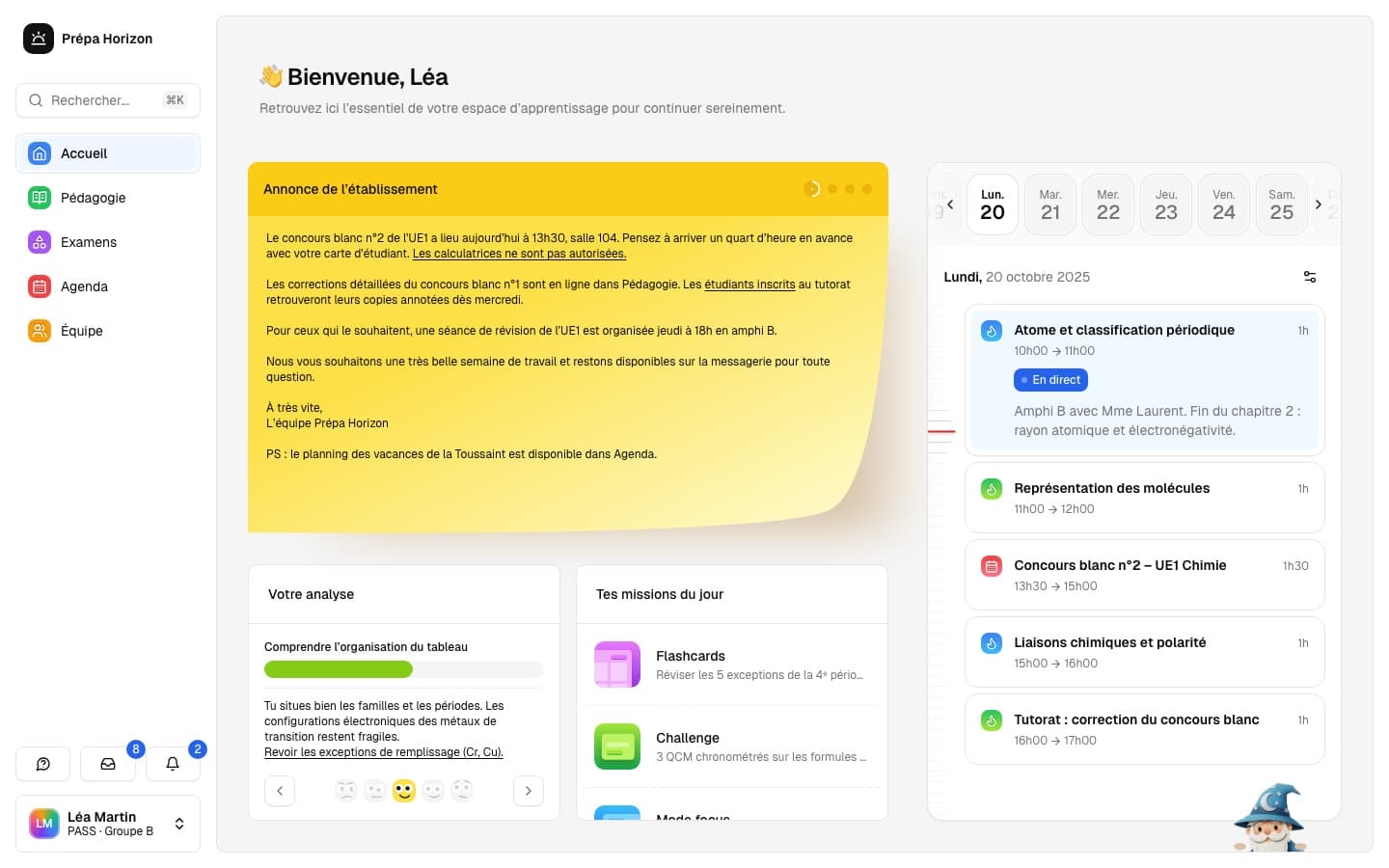
A home page like a notice board

The first page students see at every login, the home page has to make them want to carry on without becoming a catch-all, while every school has its own colours and features.

I crossed a school notice board, the announcement as a post-it, with a grid of blocks: analysis, today's missions, schedule. Tested with other combinations (messaging instead of the schedule), the page holds from one school to the next. Each section has its colour; each school dresses a polished template in its own.

The Exoteach student home page, interactive prototype

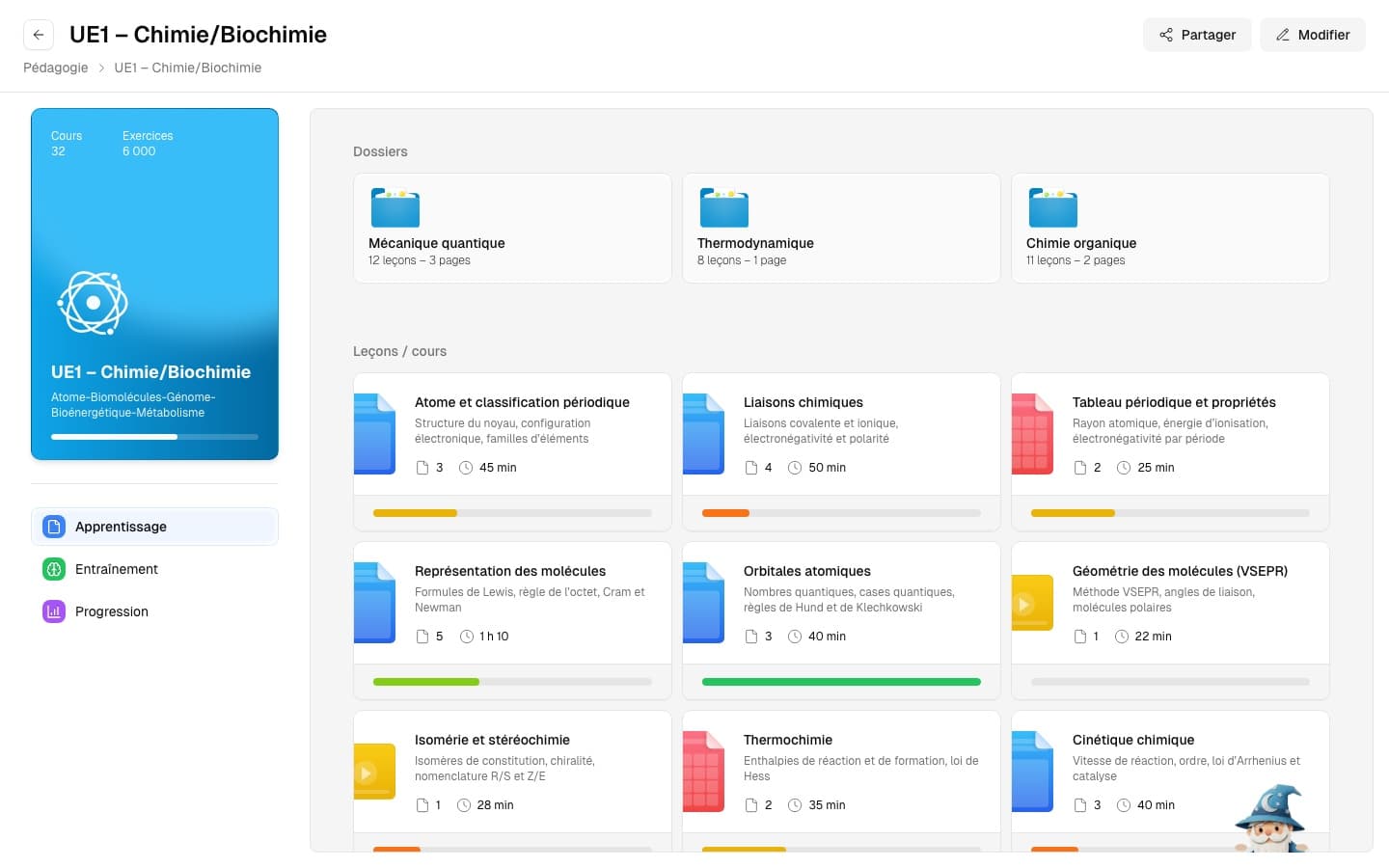
One subject, everything at hand

A subject holds dozens of courses and thousands of exercises: with no order, students don't know where to start.

Each subject opens on its folders, then its lessons as cards: the type of material at a glance, the number of pages, the length, and a bar showing how far the student has got. Three tabs separate what you learn, what you practise and your progress.

An Exoteach subject, its folders and lessons, interactive prototype

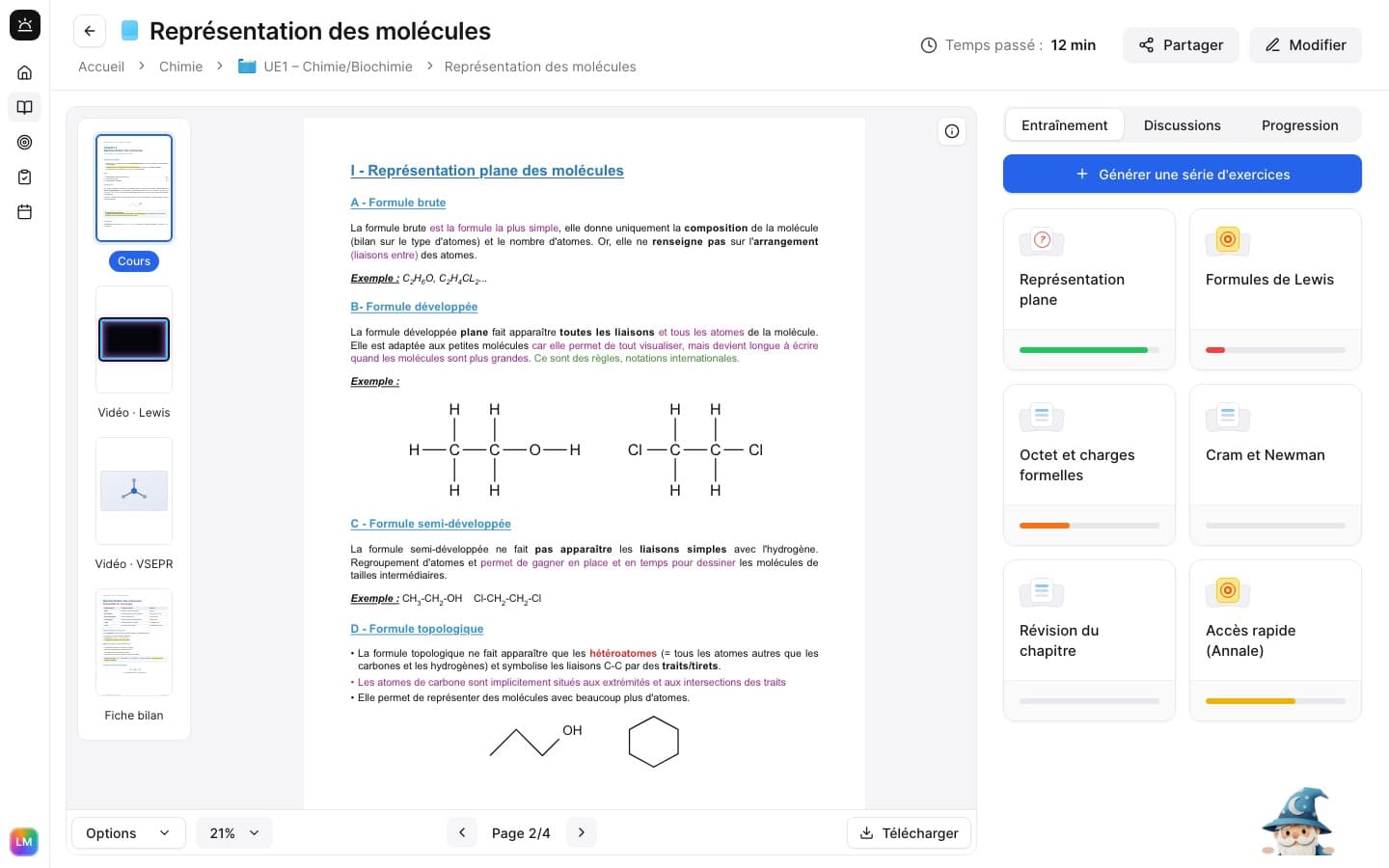
The whole course on one screen

Nested scrolling and scattered content: the interface asked for effort before any revising began.

The material in the centre, its pages and videos as thumbnails on the left, on the right the linked exercise sets, with a button to generate a new one. The AI assistant fits in a "Got a question?" field at the bottom of the panel: it answers in the context of the open course, with no chat window popping up.

The Exoteach course page, interactive prototype

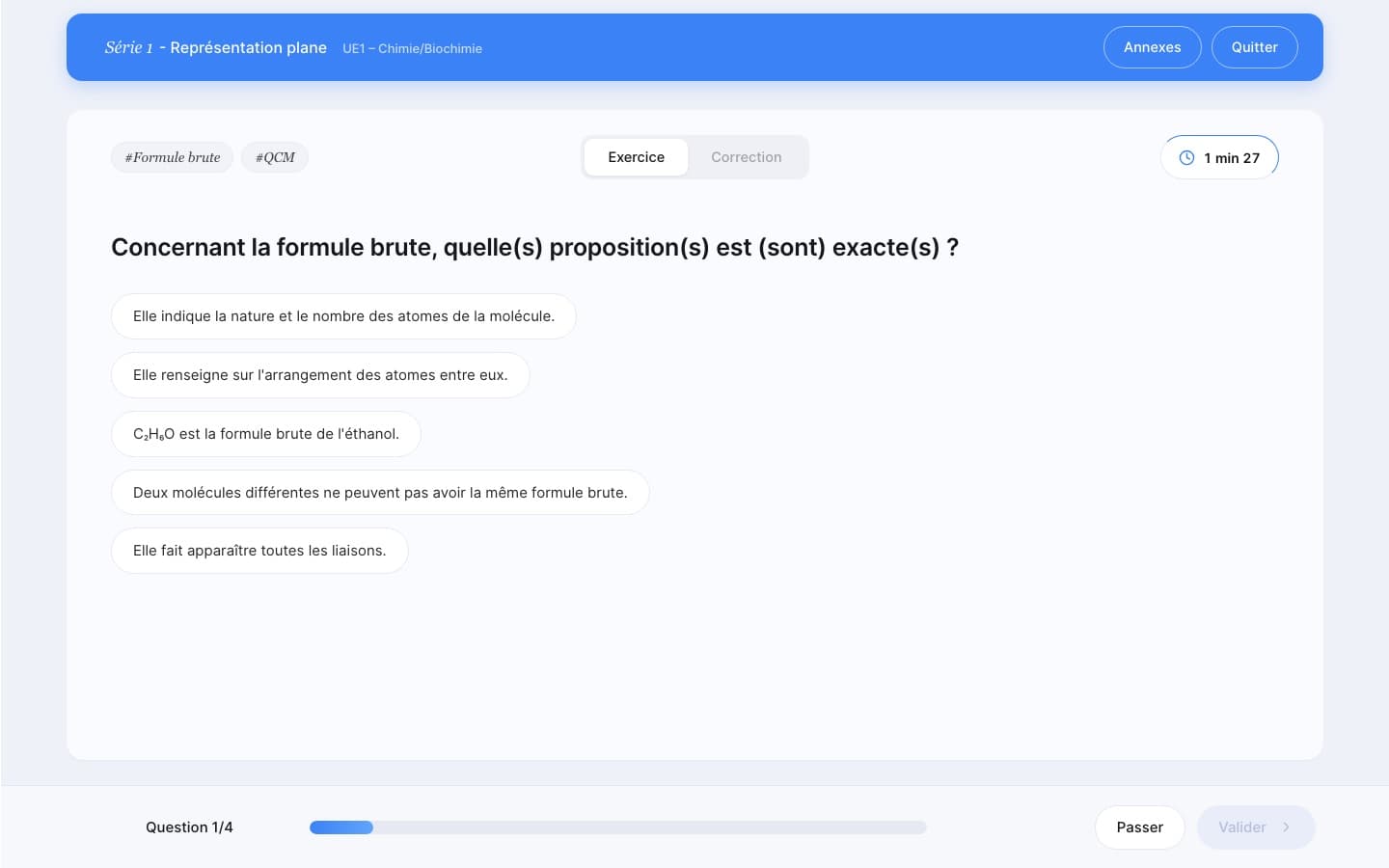
Giving the screen back to the content

A contextual banner took up the top of the screen to repeat information already on display.

I removed it, and moved the navigation from a top bar to a sidebar. It gives height back to the material. During an exercise set it disappears: what's left is the question, the timer and the progress.

An Exoteach exercise set, interactive prototype

After the set, knowing where you stand

A grade alone doesn't say whether you're improving, or where you stand in your year.

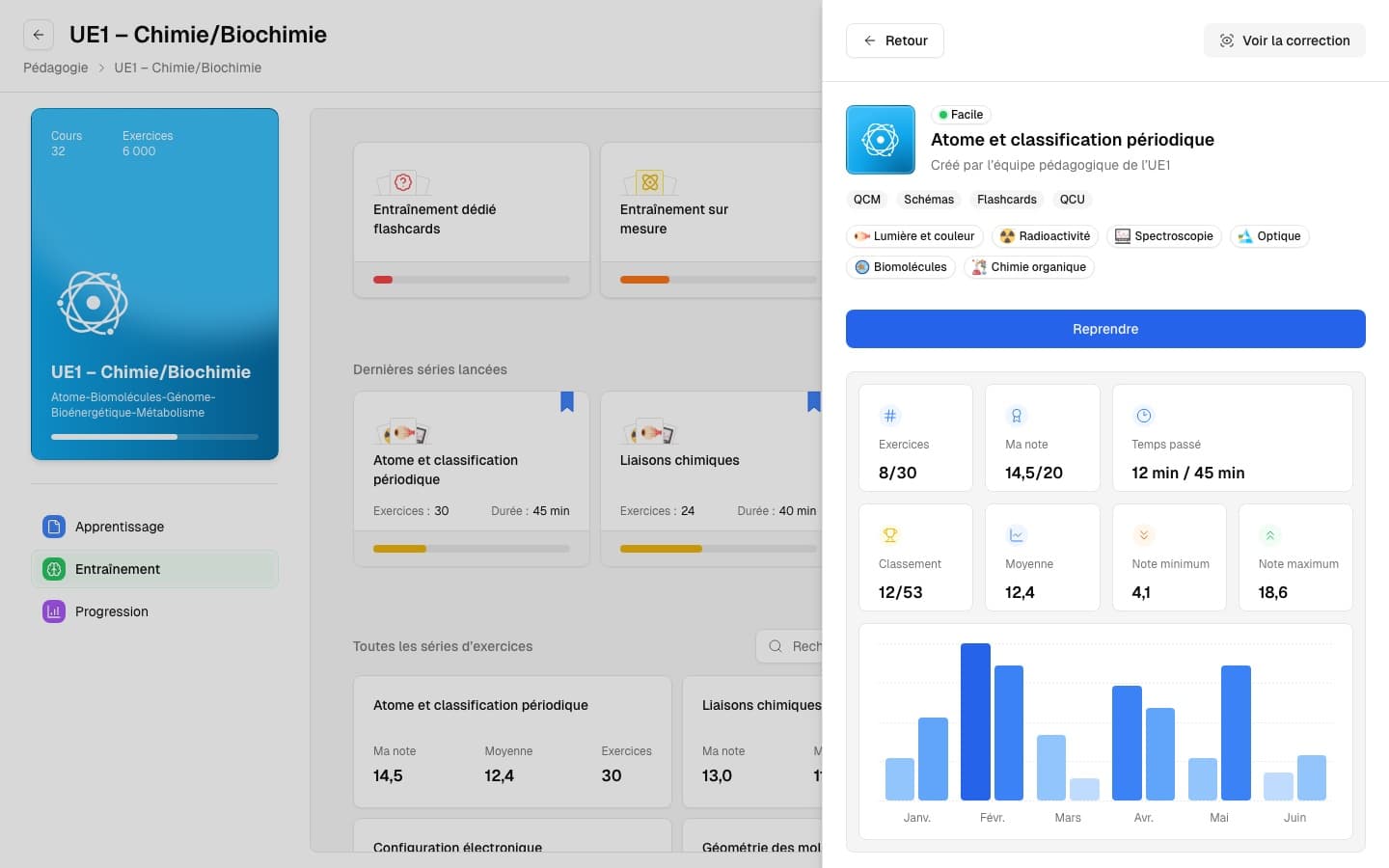
A set's page brings it all together: your grade against the average, the best and the lowest, your ranking, the time spent and the trend month by month. One button picks the set up where you left it.

An Exoteach exercise set page, interactive prototype

How I work

  • Desktop first, page by page

    The redesign starts with the desktop web and ships page by page. Exoteach has been rolling out the new screens since April 2026, step by step, so as not to unsettle students mid-year. The mobile app comes next, with fewer features rather than a copy of the desktop.

  • A test mission, then close to the founders

    It started with a short test mission alongside an art director, on the page where students do their exercises. I then carried on alone with the two founders: frequent calls, directions shown early, and a demo video at every step.

7 years of collaboration, from SkipTax to Exoteach. Romain turns complex problems into clear interfaces that convert.
Alexandre LunatiFounder, Exoteach & SkipTax

A rich platform to make readable?

It's what I'm doing with Exoteach. Let's talk about yours.